The Change Code with AI feature is an open-ended, prompt-based feature that allows you to describe what you want done to a selected block of code in a conversational manner.
Basic Workflow
Before you start, save your file. Change Code with AI requires a saved file to run.
- Select the block of code you want to modify.
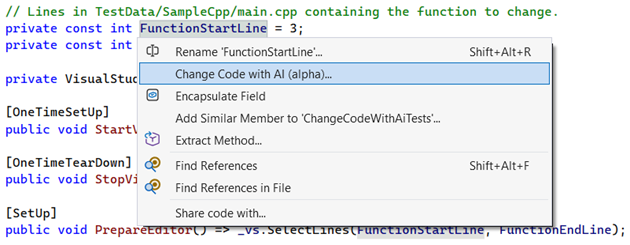
- Click Change Code with AI to open the prompt dialog.
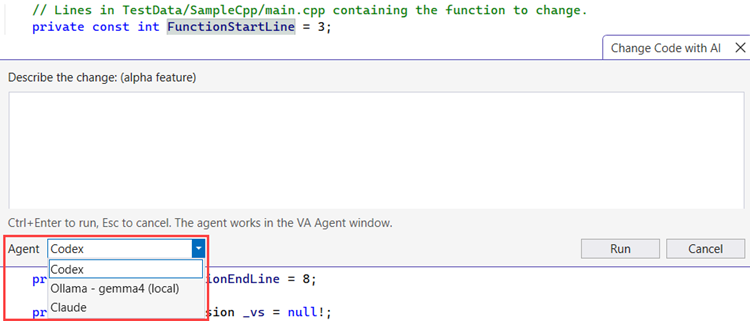
- Choose on Agent from the agent picker.
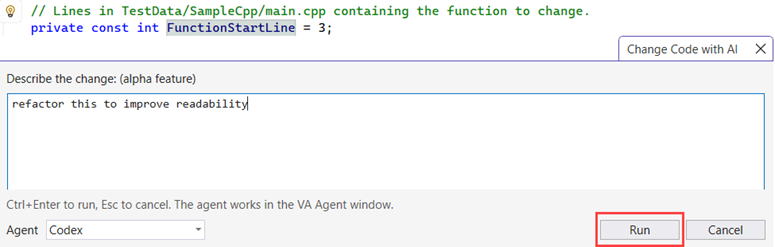
- Describe what you want in the prompt.
Example: Optimize this, rename these variables, refactor for readability, convert this loop.
Keep in mind, the agent you pick in the Change Code with AI prompt applies only to the new conversation it starts. Your open VA Agent conversation keeps its current agent.
- Click Run.
- VA Intelligence streams the proposed changes into the VA Agent window as diff blocks.
Each diff block shows a before-and-after comparison so you can inspect the proposed code. No changes are applied until you choose to apply them.
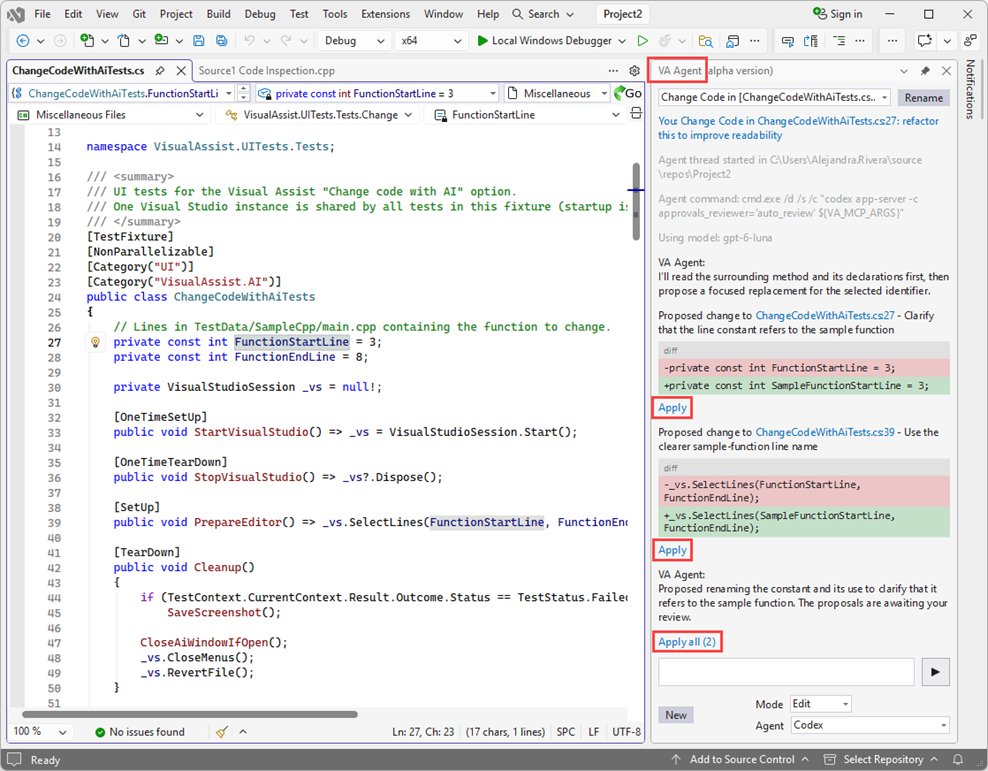
- Review each diff block and click Apply on the changes you want to keep, or click the link at the end of the response to Apply all remaining changes at once.
To learn about the other features available in the VA Agent window, see
VA Agent.